


Search
-
HVAC Equipment
-
Ductless Mini Splits
- Ductless Mini Splits
- Shop By Zone
- Shop by BTU
- Shop By Brand
- Components
- Accessories
-
HVAC Parts & Supplies
- HVAC Parts & Supplies
- HVAC Supplies
- HVAC Tools
-
HVAC Replacement Parts
- Blower Housing & Assemblies
- Blower Wheels
- Breakers, Contactors & Disconnects
- Capacitors & Transformers
- Control & Circuit Boards
- Filter Driers & Accumulators
- Gas Valves & Conversion Kits
- Heat Exchangers
- Thermal Expansion Valves (TXV)
- Temperature Controls
- Wall Brackets & Parts
- Miscellaneous Parts
- O-Rings & Gaskets
- Hydronics
- Motors
- Thermostats & Zoning
-
Plumbing
-
Pool
-
Electrical
-
Air Quality
-
Tools & Supplies
-
Door Security & Hardware


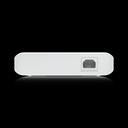



Ubiquiti usw-lite-16-poe Managed Poe Switch 45W
Availability:
In Stock

Ships same day if ordered by 12 pm
- $293.44
- $293.44
- Unit price
- / per
✓
Better Price in Cart
Manufacturer pricing rules prevent us from advertising our discount — no account or email required to see it.
-
Secure Payments
-
Easy Returns
-
Expert Advice
-
Fast Shipping
Product Description
The UBIQUITI usw-lite-16-poe is a managed Layer 2 network switch designed for professional network installations requiring both data and Power over Ethernet delivery. The switch provides 8 GbE PoE+ ports capable of powering connected devices such as access points, IP cameras, and VoIP endpoints, alongside 8 additional GbE ports for uplink or non-powered device connections. Total PoE budget is 45 watts. The unit operates with silent passive cooling, making it suitable for deployments in noise-sensitive environments. Licensed HVAC, electrical, and low-voltage contractors handling structured cabling and network infrastructure will find this switch fits standard managed-network buildouts.
The usw-lite-16-poe is managed and configured through the UniFi Network Controller software and the UniFi mobile app, giving network administrators graphical access to switch configuration and monitoring from any location. It is well suited for small commercial and residential network deployments where basic Layer 2 switching, VLAN segmentation, and remote management are required. Typical install scenarios include tenant buildouts, small office networks, and multi-device AV or security system backbones where PoE delivery and centralized management are priorities.
Key Features
- 8 GbE PoE+ ports delivering up to 45W total PoE budget to connected devices
- 8 additional GbE ports for uplink or non-PoE device connections
- Layer 2 managed switching with VLAN and protocol support
- Managed via UniFi Network Controller with full graphical user interface
- UniFi mobile app support enables remote monitoring and configuration
- Silent passive cooling for noise-sensitive installation environments
Compatibility
Designed for use within Ubiquiti UniFi network ecosystems and compatible with any UniFi Network Controller installation for centralized management and monitoring.
Installation Notes
Installation should be performed by a qualified low-voltage or network technician familiar with structured cabling standards and managed switch configuration. Power down any existing network segments before replacing or adding switches to avoid broadcast storms or topology loops. Follow NEC guidelines for low-voltage wiring and ensure rack or surface mounting is secure before powering the unit. Configure the switch through the UniFi Controller prior to deploying in a live network environment.
Technical Specifications

Complete your install
We pulled together the parts most installs need for this unit, plus a few add-ons worth a look. Check what you need — nothing here blocks checkout.
Loading install accessories...
Add install kit to cart
—
Related Products
- Choosing a selection results in a full page refresh.