


Search
-
HVAC Equipment
-
Ductless Mini Splits
- Ductless Mini Splits
- Shop By Zone
- Shop by BTU
- Shop By Brand
- Components
- Accessories
-
HVAC Parts & Supplies
- HVAC Parts & Supplies
- HVAC Supplies
- HVAC Tools
-
HVAC Replacement Parts
- Blower Housing & Assemblies
- Blower Wheels
- Breakers, Contactors & Disconnects
- Capacitors & Transformers
- Control & Circuit Boards
- Filter Driers & Accumulators
- Gas Valves & Conversion Kits
- Heat Exchangers
- Thermal Expansion Valves (TXV)
- Temperature Controls
- Wall Brackets & Parts
- Miscellaneous Parts
- O-Rings & Gaskets
- Hydronics
- Motors
- Thermostats & Zoning
-
Plumbing
-
Pool
-
Electrical
-
Air Quality
-
Tools & Supplies
-
Door Security & Hardware


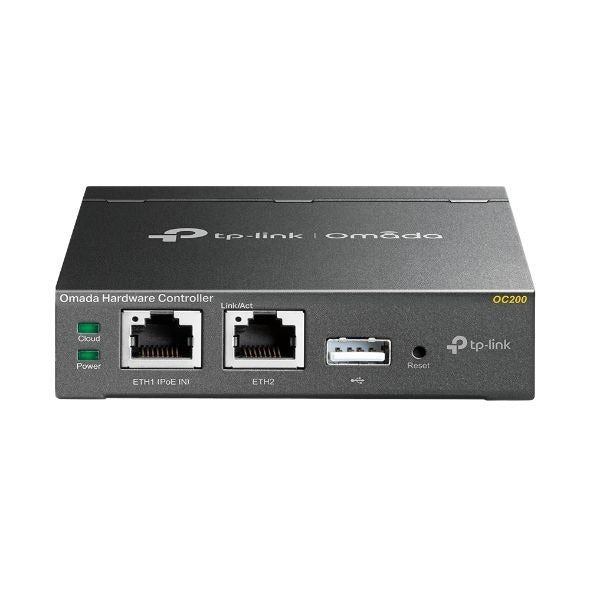
Tp-link oc200 Omada Hardware Controller
Availability:
In Stock

Ships same day if ordered by 12 pm
- $115.99
- $115.99
- Unit price
- / per
✓
Better Price in Cart
Manufacturer pricing rules prevent us from advertising our discount — no account or email required to see it.
-
Secure Payments
-
Easy Returns
-
Expert Advice
-
Fast Shipping
Product Description
The TP-LINK oc200 is a dedicated hardware controller for the Omada SDN platform, designed to centralize the management of business-class wireless and wired networks. It handles configuration, monitoring, and control of Omada-series access points, switches, and gateways from a single interface. The oc200 runs the Omada Controller software natively, eliminating the need for a separate host PC or server. Network administrators and IT professionals install this device to bring persistent, always-on controller functionality to small and mid-size business deployments.
The oc200 is suited for commercial installations where consistent, centralized network oversight is required. It supports multi-site management, making it a practical fit for managed service providers, multi-location retail environments, hotels, and enterprise branch offices. Cloud access through the Omada platform allows remote configuration and monitoring without requiring a VPN or on-site visit. The companion Omada mobile app extends this capability, giving technicians the ability to check status and push configuration changes from a mobile device.
Key Features
- Runs Omada SDN Controller software natively without a host PC or virtual machine
- Cloud access enables remote management and monitoring from any location
- Multi-site management support for larger or distributed network environments
- Compatible with the Omada mobile app for on-the-go configuration and status checks
- Dedicated hardware ensures persistent controller operation independent of workstation uptime
Compatibility
Designed for use within the TP-LINK Omada SDN ecosystem as a hardware controller for compatible Omada-series access points, switches, and routers.
Installation Notes
The oc200 is typically installed by IT professionals or network technicians familiar with SDN controller platforms. Connect the device to the management network via Ethernet before powering on and completing initial setup through the Omada web interface or mobile app. Power down or isolate any existing Omada software controller instances before migrating configuration to the oc200 to avoid controller conflicts. Follow the current Omada Controller setup guide for site adoption and device provisioning procedures.
Technical Specifications

Complete your install
We pulled together the parts most installs need for this unit, plus a few add-ons worth a look. Check what you need — nothing here blocks checkout.
Loading install accessories...
Add install kit to cart
—
Related Products
- Choosing a selection results in a full page refresh.